
Create Stylized 3D Art with Blender & Deep Paint
Deep Paint Club - 6 Week Intensive live workshop

Master Blender. Create by hand. Create your own World.
Student Work


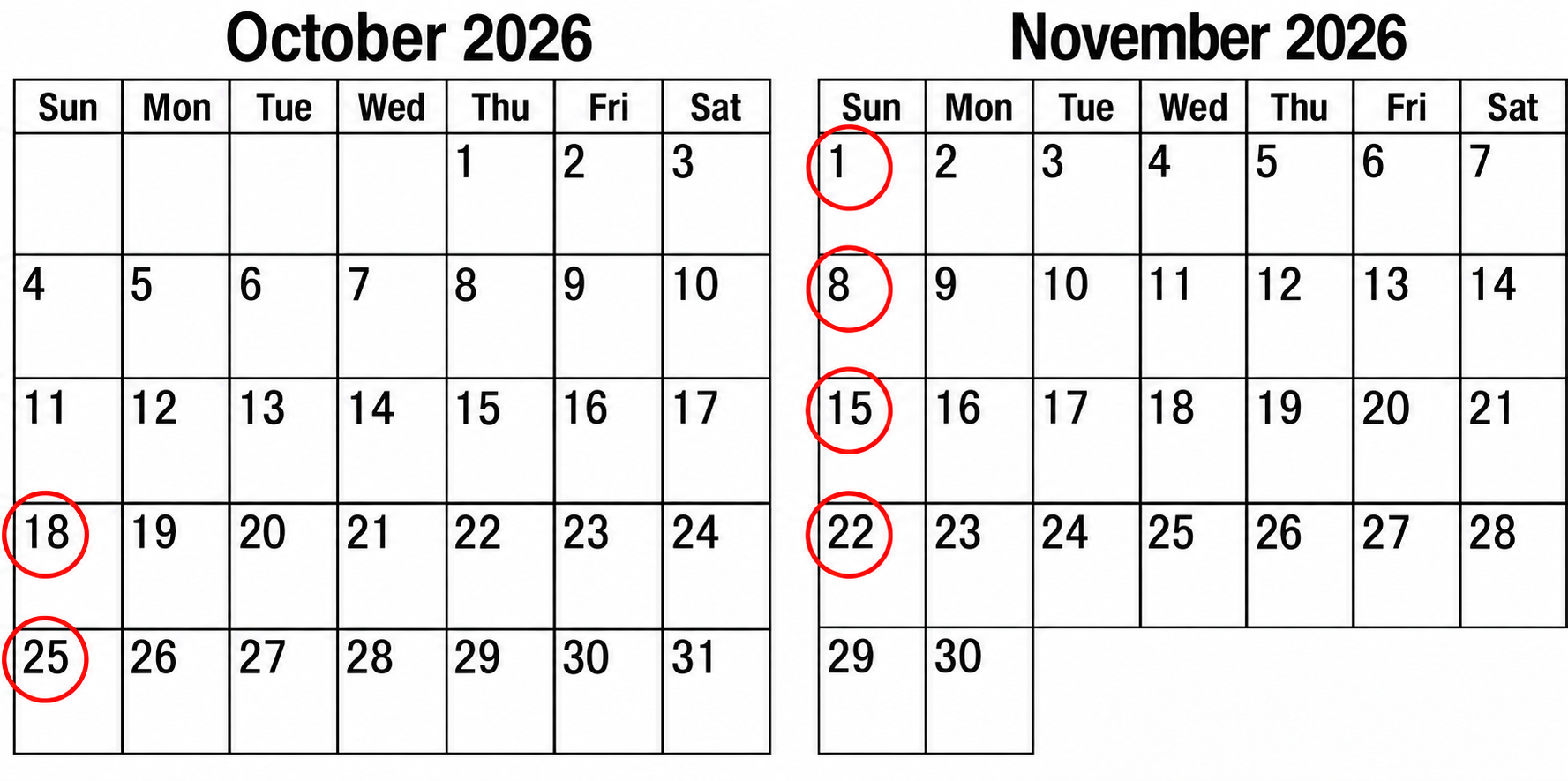
[LIVE] Starts from 18th Oct Sunday 1pm PT
A Live Workshop for Stylized 3D Art
This live, hands-on workshop is for anyone who wants to create stylized 3D art with Blender and Deep Paint.
Whether you're a beginner, a 2D artist exploring 3D, or an experienced 3D artist, I'll guide you from the basics to developing your own artistic style and creating artwork that feels truly yours. I'll share everything I've learned through years of creating my art, while learning, sharing, and having fun together with other artists.
WEEK 00
LOW POLY SKILLS
Create simple low-poly and grease pencil works as a warm-up before class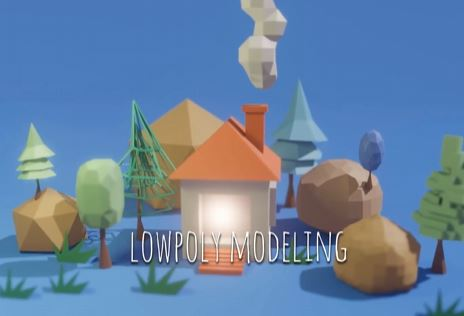
WEEK 01
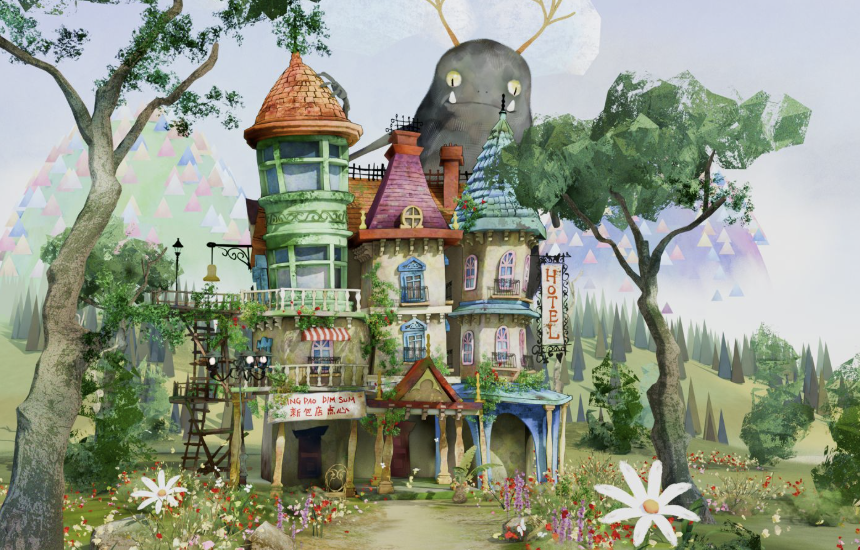
GREASE PENCIL & DEEP PAINT INTRO
Create a garden and treehouse while learning basics of Grease Pencil, GP to Mesh modeling, Vertex Painting with Deep Paint addon
 WEEK 02
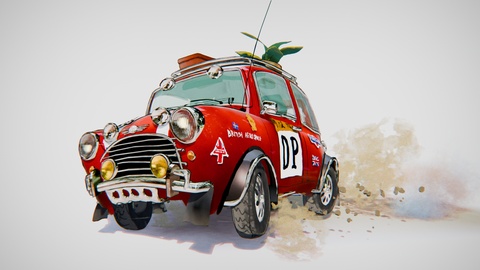
ASSET CONCEPT WORK
Learn Modeling with GP and Texture Paint to create concept art assets like Cars
 WEEK 03
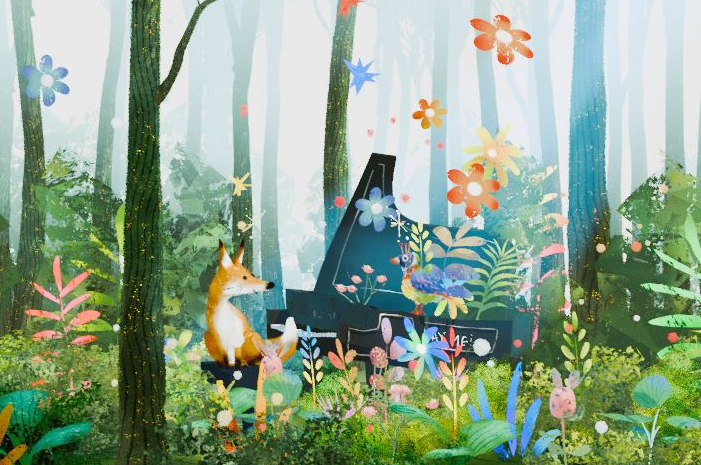
3D ENVIRONMENTAL ART / ILLUSTRATION
Create a forest environment and practice materials, lighting and advanced techniques in stylized look.
CHARACTER CREATION
Create a monster character to learn basics of sculpting, and textures. Simple animations.
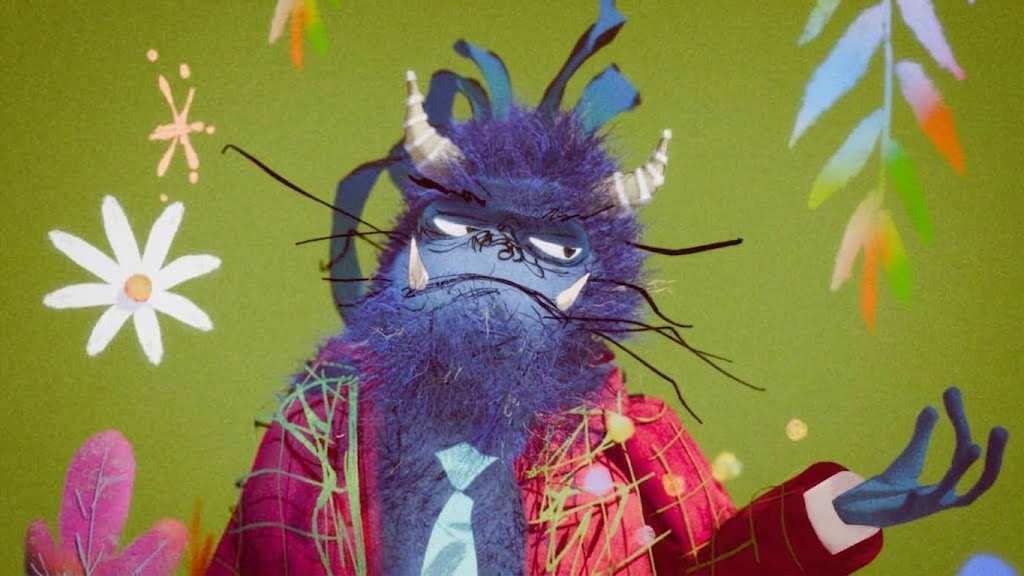
HUMAN CREATION
Human creation, rigging & posing, with sculpting, Deep Paint mix
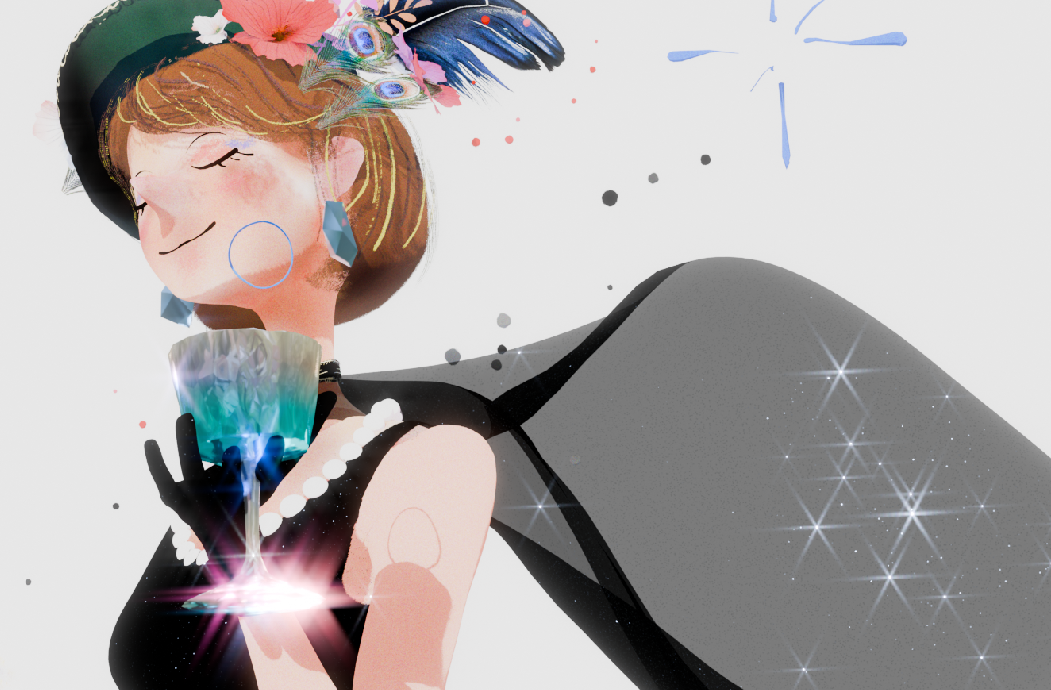
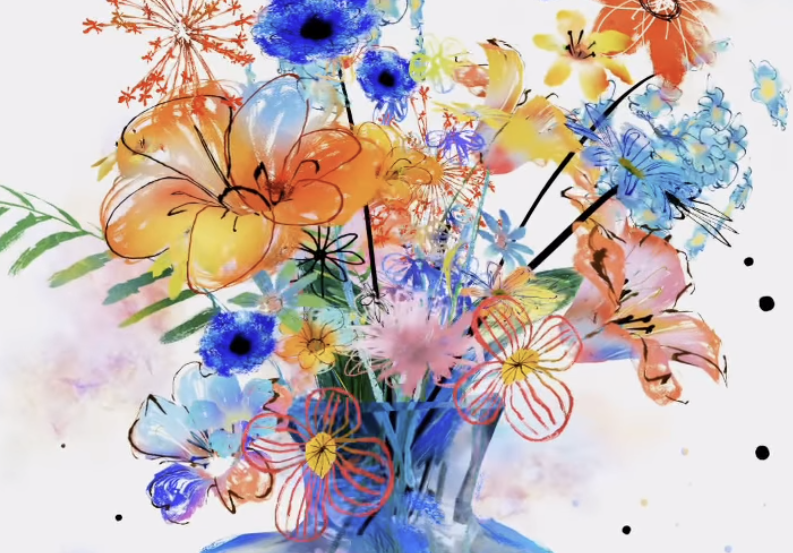
CLASS REVIEW & ADVANCED MATERIALS
3D STILL LIFE ART
A deeper dive into materials, modeling and texture studies while creating a stil life.
-
6-Week Intensive Course
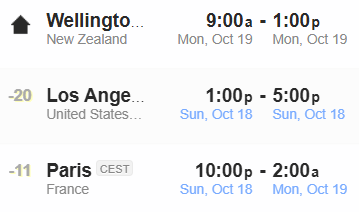
The course runs for 6 weeks, every Sunday at 1 PM PT (Pacific Time), for approximately 3–4 hours per session.
This is 10 PM CET on Sundays, so participants in Europe may find it difficult to attend the entire live session. However, you can join the weekly review session when possible and watch the rest of the class through the recording.
-
Small Group, Personal Guidance
This is a live group session with around 25 students or more. Spaces are limited and tend to fill up quickly. Please reserve a spot only if you are fully committed to completing your project. I will give you my 100% support throughout the course to help you reach your goals.
New to Blender? No worries — we'll start from the basics and build your skills step by step.
-
Live Classes + Discord + Recordings
Classes are held live on ZOOM, but if you cannot attend on time, (not quite ideal but..)that's fine too. Every session will be recorded and shared afterward, so you can watch it whenever you like. But please try to complete assignments on time. Also we stay close within Discord to communicate well. Recordings will be available for more than a year.
-
Deep Paint Add-on Included
The latest version of the Deep Paint Blender add-on is included with the course.
-
Weekly Live Reviews
Each class begins with a dedicated review of your weekly assignments, allowing me to give feedback and help make sure you are on the right track.
-
Ongoing Support
You can ask questions anytime through Discord. I will be there to help you solve problems, improve your work, and push your skills further.
-
Weekly Assignments
Each weekly assignment may take approximately 5–10 hours to complete. Please make sure you can set aside enough time each week to work on your project.
Please carefully check the time if it matches to your time zone by calendar with here
 Requirement
Blender 5.2 (Latest)
https://www.blender.org/download/requirements/
Pen tablet (simple one is fine like wacom intos)
microphone
2nd monitor

Visual Artist, Illustrator, Software Engineer.
Started my career as VFX artist at Digital Domain, then Weta Digital and ILM. Now I am an Artist to create stylized 3D illustrations, animation. I am also university professor and run online class as well.
Article: https://80.lv/articles/creating-digital-masterpieces-in-blender/
Homepage: http://gakutada.com/




Reviews
“Deep Paint Club turned out to be much more than I expected.”
The workshop was super fun, practical, and packed with different techniques. While working on various tasks, we gradually discovered more useful tools and settings, which made the learning process very engaging. What impressed me most was Gaku’s support throughout the workshop. He patiently answered questions on Discord and took the time to check Blender files whenever we ran into problems. His generosity with his time and knowledge made the experience truly special. Deep Paint Addon is also incredibly powerful, with so much more to explore than I expected. It was a dream of mine to study with Gaku. I’ve learned so much and would highly recommend this workshop to everyone.
— Yana Zavialova (Animator)
“Deep Paint feels like an actual art tool — and the class pushed me to experiment and feel comfortable creating art in 3D.”
“As an illustrator, I’ve always wanted to bring the way I think and work in 2D into 3D. Deep Paint feels less like a plugin and more like an actual art tool, and the six weeks really pushed me to experiment, make new work, and create. By the end, I felt totally comfortable jumping into Deep Paint and just making artwork. I genuinely loved this class and I’m so proud of the work I made. If you’re an illustrator interested in bringing your work into 3D, I’d absolutely recommend it!”
— Michelle Ouellette, Illustrator
"Truly transformed my experience. Modeling finally feels as enjoyable and efficient as drawing."
Learning 3D software has always been a challenge for me, with modeling never feeling as enjoyable as drawing. However, studying under Gaku Tada and utilizing his specially designed plugin has truly transformed my experience. Gaku’s teaching methods and approach have made using Blender software both enjoyable and efficient. I found his guidance to be thoughtful and well-organized, providing a seamless transition into the world of modeling. Gaku’s passion and patience as a teacher were evident, as he was always willing to help students with any difficulties they encountered. I highly recommend his class, as the skills I acquired have had a significant positive impact on my career.
— Maryam Sefati (Concept Artist)
"I feel more freedom to create in Blender with a hand-drawn, painterly process."
I really enjoyed seeing Gaku's workflow and practicing the demos. I feel more freedom to create artwork in Blender and to approach with more hand-drawn process. I was always very impressed with the artworks Gaku created, and the student work each week was very nice. The Deep Paint tool is very impressive!
— Micah Sibert (Concept Artist)
"Gaku makes complex tools feel fun and approachable. His feedback is always thoughtful, encouraging, and delivered with care."
The best part of this workshop was how it made learning feel light and joyful. Gaku’s teaching style was kind, thoughtful, and inspiring, he made complex tools feel fun and approachable. His feedback was always helpful, encouraging, and delivered with such care. I really appreciated how quickly and clearly he responded to students’ questions, it made us feel supported every step of the way. I also loved the assignments! They were playful, creative, and helped me grow step by step.
— Lody (Painter)
"The addon makes the workflow incredibly smooth compared to default menus. I’ll be using it daily!"
I loved every part, literally. I liked being able to see the assignment reviews and there were interesting questions and problem solving, involving grease pencil into creating models which gave a more painterly artistic vibe, and the addon made the workflow very smooth in comparison on to usual usage of default menus. I also it is cool, I don't have to to understand the whole nodes inside the DPM material to teak it, use it effectively. Adding textures, transparency etc. to it was easy. I also appreciate I could see how you create these beautiful scenes and how you use addon. custom pie menus also made the workflow easier so I think I will use on daily basis.
— Kamila Stankiewicz (Illustrator)
other comments from the class
-
The workshop was beautifully crafted clear, inspiring, and well-paced. Everything flowed so naturally and felt complete.
-
Starting from the basics, and having the assignments use what was applied in each session. I think for me, as a beginner, this was by far the best way to break down Blender as well as the Deep Paint add on being implemented into a proper workflow.
-
The Deep Paint addon was absolutely amazing and incredibly helpful it made working in Blender feel smoother and genuinely fun. It brought a whole new level of joy and freedom to painting, especially for someone who used to struggle with the default tools.
-
Really loved learning how to use Deep Paint, I really like how it simplifies the workflow and also how a lot of it involves drawing/painting. I also liked the pacing of the workshop, I feel like I feel a lot more comfortable using Deep Paint now compared to week 1
-
I just loved learning how i could paint in blender! it was alot of knowledge to soak in, but very fun at the same time.
-
The student work was amazing! Everyone's take on the week's assignment was so creative.